
WS0317BL3

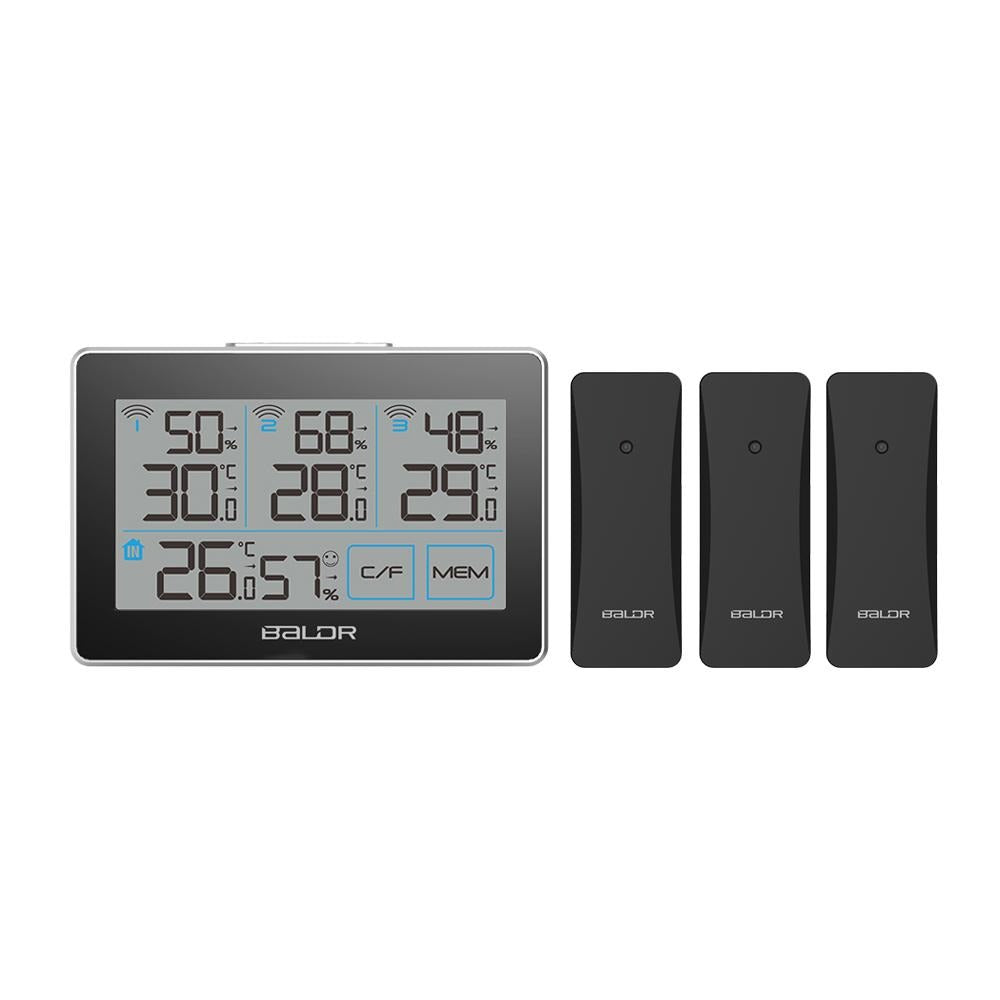
BALDR WS0317BL3 Digital Wireless Weather Station

Accurate Humidity Gauge & Temperature Tracking - Monitor 4 Locations - Includes 3 Remote Sensors

Estimated delivery between June 04 and June 06.

$42.95 $34.95
VIDEO

FEATURES

Every morning, a glance at the LCD display is sufficient to know the ambient temperature&humidity of each location you are concerned about in real-time. The weather station with 3 outdoor sensors indicates you with precise information of the current indoor/outdoor temperature and indoor/outdoor humidity and saves the respective maximum and minimum values with arrow trend and comfort level indicator. You can simply control the utmost 4 rooms simultaneously just on your location.

  • Four groups of temperature and humidity displayed on one screen
  • Touch buttons for easy operation
  • Temperature display in C/F.
  • Records max/min temperature and humidity (4 groups).
  • Comfort level indicator
  • Low battery indicator
  • White backlight lit up for 20 seconds
  • 100 meters wireless transmitter in an open area
  • Indoor temperature range:-10℃-50℃(14℉-122℉)
    Outdoor temperature range:-40℃~60℃(-40℉~140℉)
    Precision range  +/- 1.5
  • Humidity display range: 1%-99%
  • Includes one main thermometer with three remote sensors
SPECIFICATIONS

Item Size

5.6"Lx0.8"Wx3.70"H (142x22x95mm)

Weight Net 390g, Gross 435g
Color Black
Package contains 1x B0317 Hygro-thermometer, 1x Instruction Manual,3 x Remote Sensors

Pay with

  • American Express
  • Apple Pay
  • Discover
  • Mastercard
  • PayPal
  • Shop Pay
  • Visa

Your transaction is protected with advanced security measures to keep your information confidential
No images available for this product.

FAQs

In general, our sensor's signals may drop if the humidity is beyond the detection range (10%-90%). When this happens, it will display "HH" for higher than 90% and "LL" for lower than 10%. As long as they come back when humidity falls between 10%-90%, it is considered normal. Otherwise, it may need a reset (reset button inside the battery compartment, or simply empty/re-insert batteries).

Please try the following steps:
- Remove all batteries from the main device & the sensor.
Wait a minute or two, insert batteries to the main device first.
- Insert sensor batteries. You should notice the red light start blinking intermittently. Each time it blinks, it sends data to pair.
- Each time you change the sensor batteries, the main device also needs a reset to remove the older memory.
You may also long-press the "CH" button (on some models) to force the two devices to re-registered.

Recently viewed products